
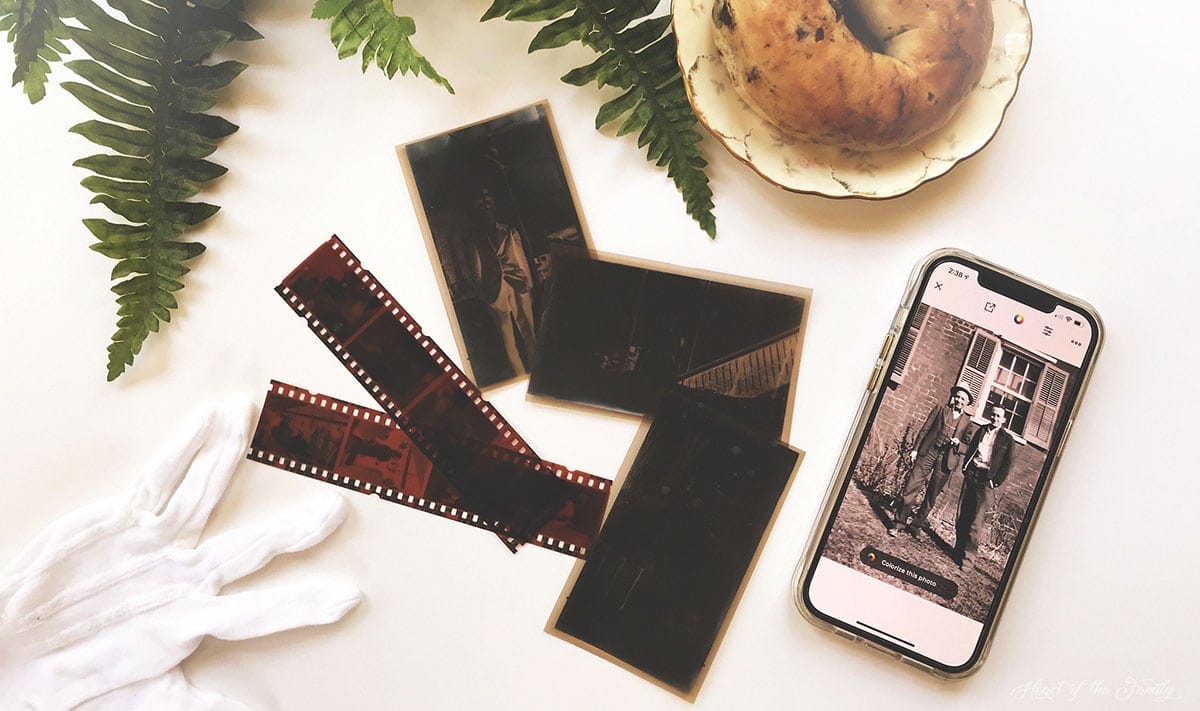
5 (Mostly) Free Apps to Scan Film Negatives With Your Phone
Heart of the Family is a participant in the Amazon Services LLC Associate Programs and other affiliate services. This means that thefamilyheart.com receives a small commission by linking to Amazon.com and other sites at no cost to the readers.
Updated for 2026: App pricing, features, and performance details have been retested and refreshed to reflect current versions and image-quality comparisons.
A few years ago, I purchased a box of old family photos, letters, and ephemera from an eBay seller. Inside were 65 fragile black-and-white film negatives from the early 1930s, some stuck together, some already deteriorating.
I knew I didn’t have time to wait.
Film doesn’t improve with age. It fades, curls, and sometimes disappears altogether. So I set out to find the best way to scan old negatives with my phone — quickly, affordably, and without sacrificing image quality.
Yes, you can scan film negatives with your phone, and with the right app and lighting, the results can be surprisingly good.
In this post, I share what worked, what didn’t, and which apps are worth your time.
How to Scan Film Negatives With Your Phone
You can scan film negatives with your phone using a simple backlight and a negative-scanning app. Here’s how:
- Place the negative on a bright, even light source (such as a tablet screen or lightbox).
- Position your phone camera at least 4 inches above the film, keeping it steady and parallel.
- Open a negative-scanning app that converts the inverted image to a positive.
- Adjust exposure and focus before capturing the image.
- Save the scan and make final edits as needed.
With stable lighting and careful alignment, you can convert old film negatives into digital images in just a few minutes.
Be sure to check out the full details and list of tested apps below.
How I Scanned the Negatives for This Review
To keep things consistent, I used the same equipment and process to test each of the five apps.
My device: an iPhone 12 Pro Max.
Instead of purchasing a professional lightbox, I built my own scanning “rig” using a shoebox, an iPad (as a light source), a piece of glass from an old picture frame, a stack of books, and a gooseneck tablet/phone holder from Amazon. If you’d like to see how I assembled it, you can find the full tutorial in this post.
I tested each app using the same two negatives:
- A black-and-white 116 (or possibly 616) negative from the eBay collection, likely 80+ years old. The image itself was slightly blurry (as were most in the group), but I chose it because the negative had minimal physical damage.
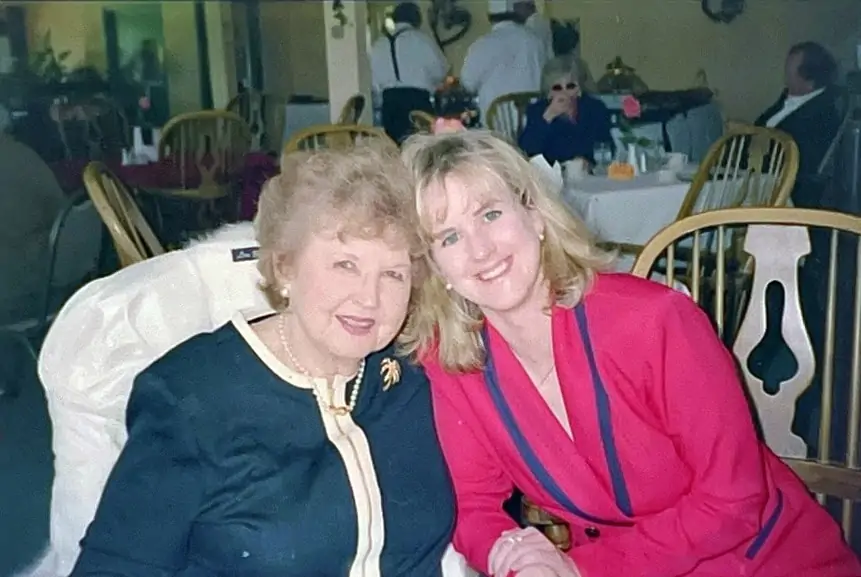
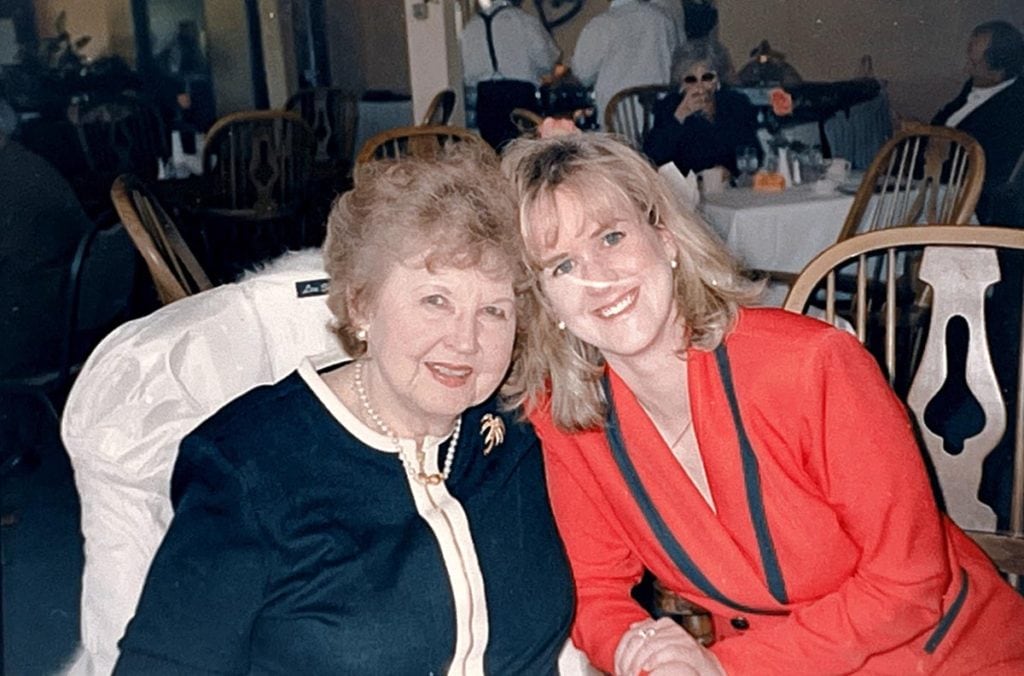
- A 35mm color negative of my grandmother and me, taken around 1999, with no visible physical damage. For comparison, I’ve included a digitized version of the original print.
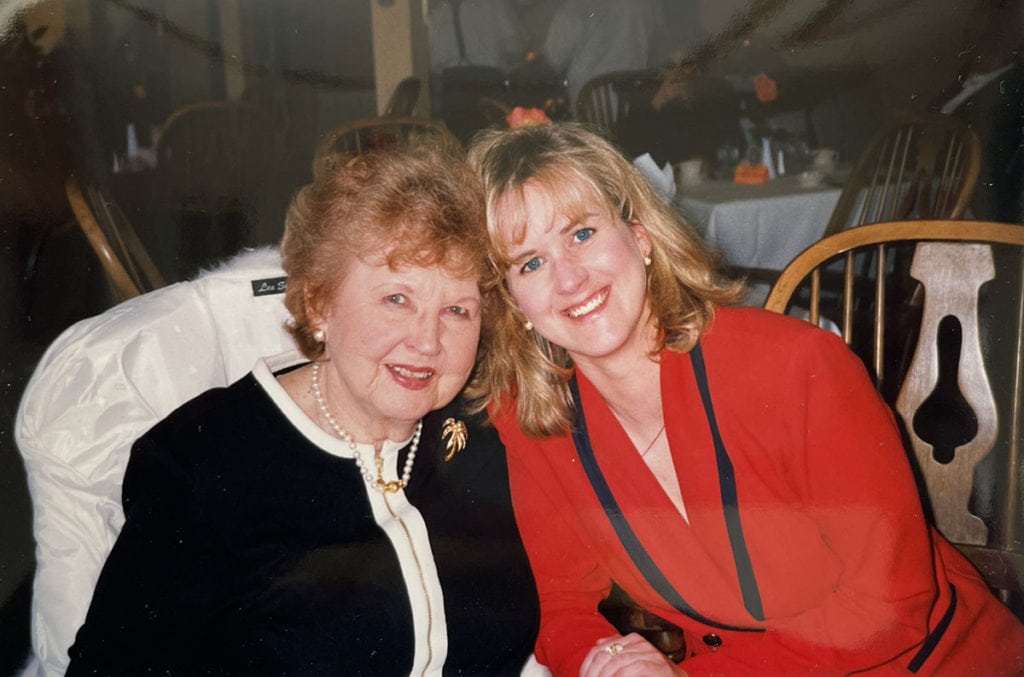
None of the images shown here was edited in Photoshop. A few were lightly adjusted using tools built into the scanning apps, and some were straightened or cropped for presentation.
5 Apps to Scan Negatives with Your Phone
The following five apps produced the best results in my review.
I selected them because:
- All are free to try. Even subscription-based apps allow a limited number of test scans.
- They are intuitive and easy to use.
- They scan both black-and-white and color negatives. Some also scan “positives” (regular print photographs that are not inverted).
- They delivered solid results — though some clearly outperformed the others.
Ready to digitize those old negatives hiding in a drawer? Let’s take a look at what these apps can do.
Filmory – Analog Film Scanner
Pros: Included filters and editing tools; shares to social media.
Cons: No live previews; low-resolution scans; app is only for iOS devices.
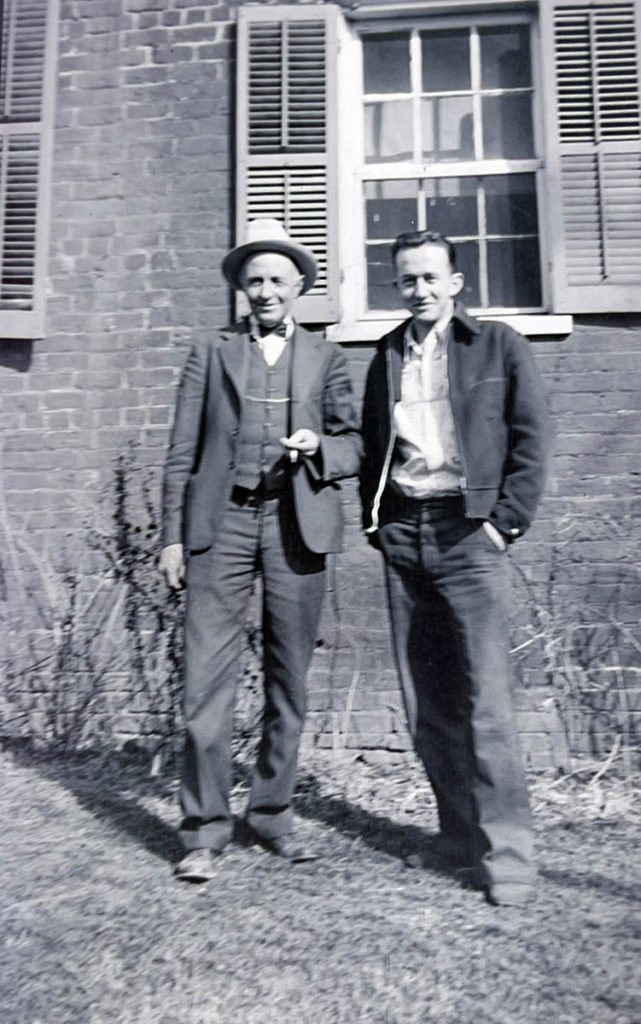
The Filmory – Analog Film Scanner app allows you to scan black-and-white negatives, color negatives, and even positives (standard print photographs). At the time of this review, Filmory is available only for iOS devices.
In my side-by-side testing, Filmory handled both historic black-and-white film (c. 1930s 116/616) and modern 35mm color negatives without difficulty. The interface is straightforward, making it a solid option if you want to scan film negatives with your phone quickly and without a steep learning curve.
Filmory is free for the first 12 scans. A built-in counter next to the scan button makes it easy to track how many free scans remain. For unlimited scans and access to premium features, a subscription is required:
- $2.99 per month
- $19.99 per year
If you are digitizing a large batch of family negatives, the annual plan may be worth considering. However, the free scans are more than enough to test image quality before committing.
Free Backlight Option
One feature I particularly appreciated is Filmory’s built-in backlight solution. Proper lighting is essential when you convert negatives to digital images — and uneven lighting will sabotage even the best app.
Filmory provides a free blank white “Backlight” screen on its website, which you can pull up on a monitor or tablet to illuminate your film while scanning. Simply increase your screen brightness for optimal results. The same backlight can also be accessed directly from within the app.
What I Like
Filmory is genuinely simple to use, which makes it approachable for beginners who want to scan film negatives at home without investing in additional equipment.
In my testing, it produced attractive results overall, especially with the 35mm color negative. The color rendering was surprisingly strong for a mobile app, and tones were balanced with minimal adjustment. If your goal is to quickly digitize old negatives for sharing with family or posting online, Filmory performs well.
Basic editing tools are included, such as horizontal and vertical flipping, cropping, and rotation. A selection of filters is also available for quick color adjustments, and most can be tested in the free version. For light corrections and casual use, these built-in tools are sufficient.
Exporting is straightforward. Scanned images can be saved to your camera roll or shared directly via text message, email, Instagram, or other social platforms. You can also send files to photo-editing software on your device for further refinement.
What I Dislike
The primary limitation I encountered was resolution. The images produced by Filmory were noticeably low-resolution. If your long-term goal is preservation-quality digitization or printing enlarged copies of historic negatives, this app may not be sufficient.
For genealogists and family historians, resolution matters. Once you convert negatives to digital files, you want those files to be as future-proof as possible. Low-resolution scans limit your ability to enhance details, crop tightly, or produce high-quality prints later.
My biggest frustration, however, was the lack of a true live preview. The on-screen preview appears in a dark sepia tone rather than displaying a fully converted image in real time. This makes composing and aligning the negative more difficult, particularly when working with older film formats like 116 or 616.

It is technically possible to experiment with iOS settings (Settings > Accessibility > Display & Text Size) to invert colors or apply filters to simulate a live preview. However, for an app in this price range, I found that workaround cumbersome and impractical for scanning large batches.
More Information
Visit the Filmory Website for current pricing, feature updates, and support documentation.
Film Scanner Pro
Pros: App is free; includes basic editing tools.
Cons: No live preview; low-resolution scans; only for iOS devices.
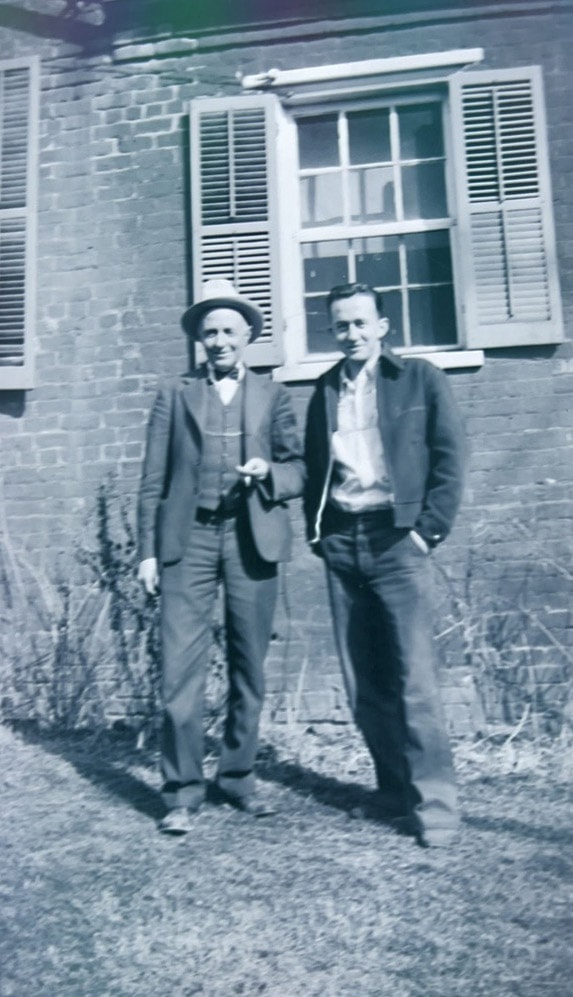
If you’re looking for a no-frills app to scan film negatives with your phone, Film Scanner Pro is about as simple as it gets. It’s designed specifically to convert black-and-white and color negatives to digital images without a lot of extra features or distractions.
One notable advantage: Film Scanner Pro is completely free. There is no subscription plan and no limit to the number of negatives you can scan.
What I Like
Film Scanner Pro includes a few basic editing tools, such as rotation and cropping to preset dimensions (4:5, 16:9, etc.). Sliders for exposure and contrast are built in, and for a one-time $7.99 purchase, you can unlock additional sliders to adjust highlights and shadows.
Another convenience is that finished scans are automatically saved directly to your phone’s camera roll rather than stored inside the app. That means no extra export step when you’re finished scanning.
For someone who wants to digitize a small number of negatives quickly and without paying for a subscription, the simplicity is appealing.
What I Dislike
Like Filmory, Film Scanner Pro does not provide a true live preview of your converted image. While positioning the negative, you only see the inverted film. The final positive image appears after you press the scan button.
When scanning historic negatives, especially larger formats like 116 or 616 film, composing without a live preview makes alignment more difficult and increases the chance of uneven framing.

More concerning, however, was image resolution.
Of the five apps tested, Film Scanner Pro produced the lowest-resolution files. The full-screen black-and-white scan was only 185 KB, and the color negative scan was just 45 KB.
For context: those file sizes are extremely small if your goal is preservation-quality digitization. Low-resolution files limit your ability to crop, enhance details, or print enlargements later. Once you convert negatives to digital images, you want those files to serve you for years to come.

In my testing, the color scan did not resemble the sample images shown in the App Store. My scanned image was small and blurry, which aligns with the low resolution, and the color balance skewed heavily toward cyan.
If your primary goal is archival-quality scans of family negatives, this app may not meet your needs.
More Information
Film Scanner Pro does not maintain a dedicated website. For current details, updates, and user reviews, visit the App Store listing.
FilmBox by Photomyne (free version)
Pros: Edit, colorize, and share images from app; voice control.
Cons: Automatic cropping; limited free trial.
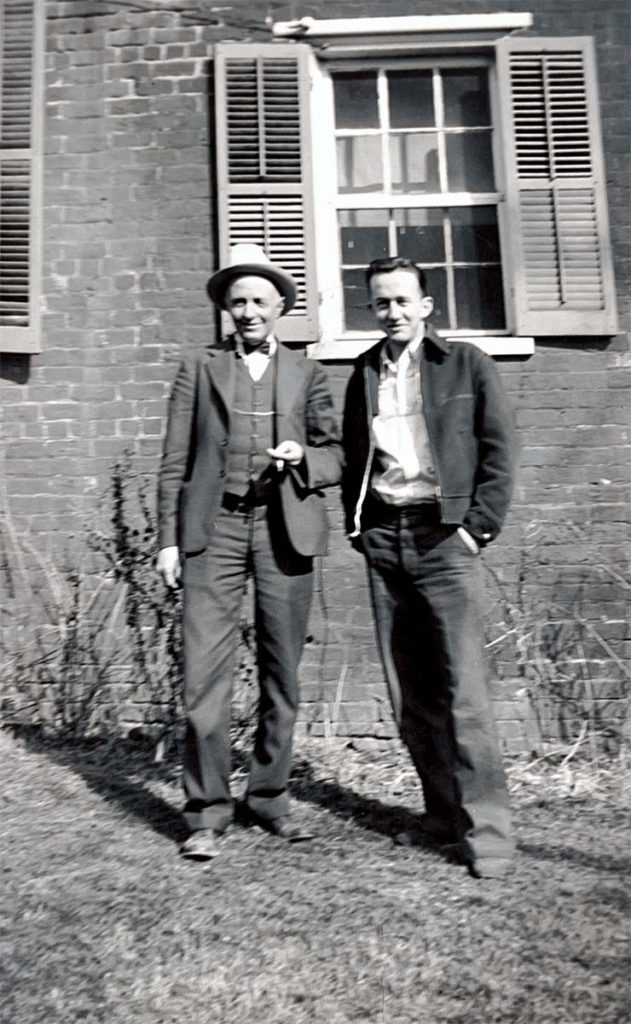
FilmBox is part of the Photomyne suite of apps developed by Photomyne Ltd. The company is perhaps best known for its photo-scanning app, but it also offers tools for scanning slides, colorizing black-and-white images, creating slideshows, and more.
Like the other Photomyne apps, FilmBox is free to download and includes limited functionality for testing. While I have not found official confirmation, it appears that the free version allows approximately 15 scans before requiring a subscription.
For unlimited scanning, a paid subscription is required:
- $7.99 per month
- $29.99 per year
- $39.99 for two years
(Additional fees may apply depending on platform and region.)
At first glance, that may seem expensive for an app. However, if you are digitizing a large collection of family negatives and want cloud access across multiple devices, the subscription model may make sense.
Important Note: To use the free version, tap the “X” in the top left corner when opening the app. Do not tap the red Continue button unless you intend to subscribe.
What I Like
In my testing, FilmBox performed very well when scanning both historic black-and-white film and modern 35mm color negatives. Of all the apps reviewed here, FilmBox delivered the most accurate color reproduction when compared to the original print.
The free version includes several useful editing tools: rotate, crop, and horizontal flip (particularly helpful if you accidentally scan the emulsion side incorrectly). One-click enhancements are available for quick adjustments to color and contrast.
FilmBox also includes built-in AI colorization for black-and-white images. In my tests, the results were comparable to those of other well-known colorization tools and varied with the clarity and resolution of the original scan. One of my test images (not shown here) was especially impressive.
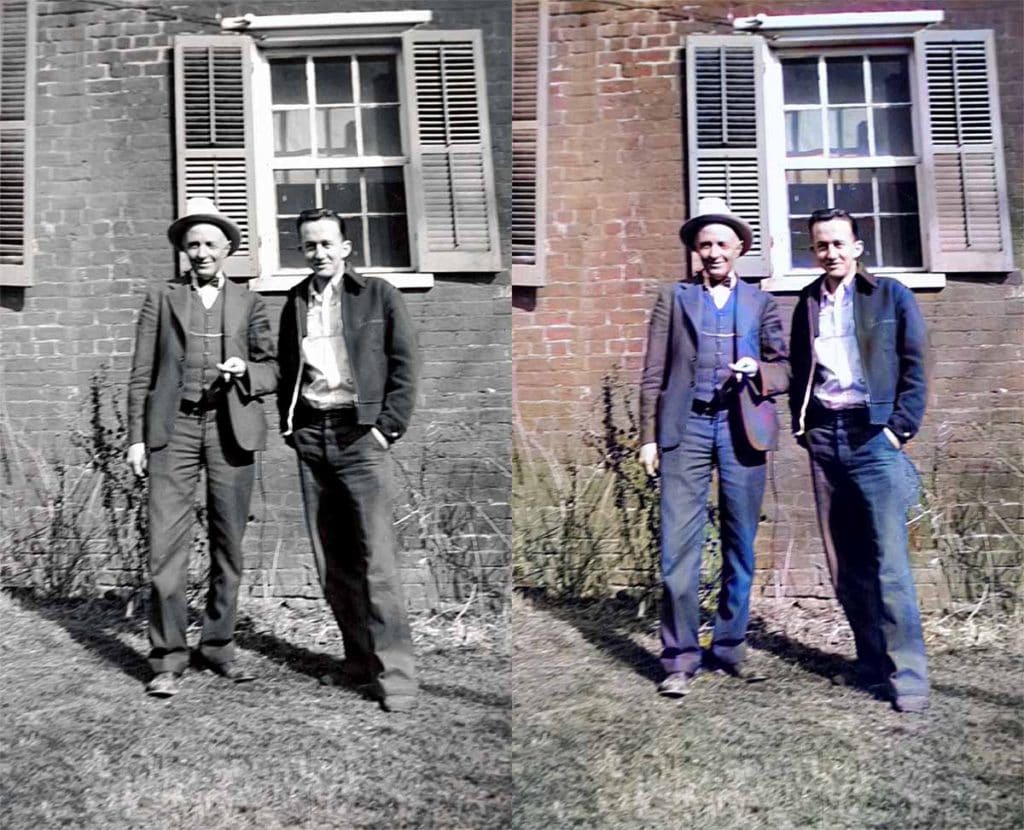
Another feature I appreciated was the voice-activated shutter. If you struggle with camera shake while scanning negatives with your phone, being able to say “go” to trigger the scan helps reduce motion blur and improve sharpness.
Perhaps most importantly, FilmBox provides a true live preview. When converting negatives to digital images, being able to see the final result in real time makes framing and alignment far easier — especially when you are limited to a small number of free scans.
What I Dislike
FilmBox automatically crops images during scanning, which proved frustrating during testing. I unintentionally used three of my free scans before realizing what was happening.
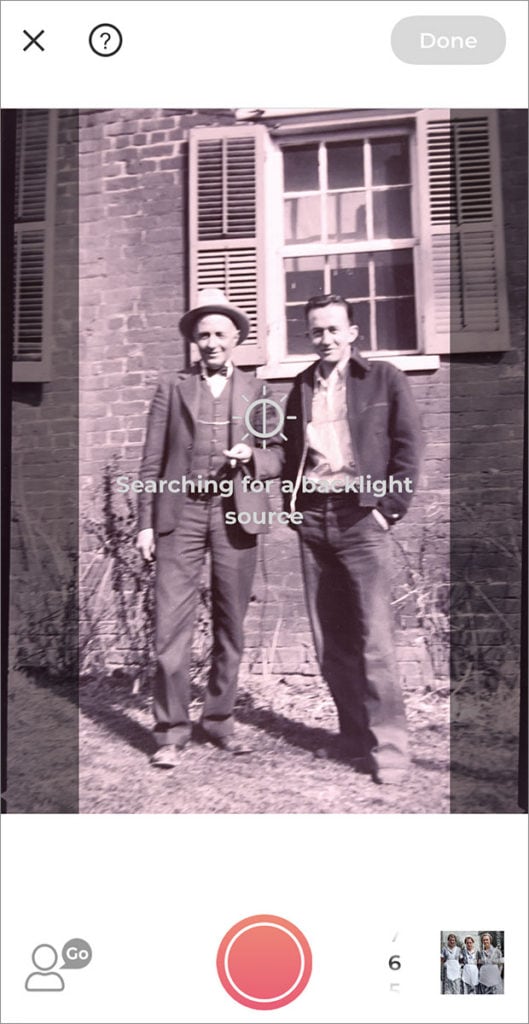
According to developer responses in app store reviews, the automatic cropping works best when the camera can detect side sprocket holes. Because older film formats such as 116 or 616 do not have side holes, the app may struggle to detect edges correctly. As a result, digitizing vintage negatives can be more challenging.
In several instances, the automatic cropping feature distorted or “warped” my images when the app failed to correctly identify the boundaries of the negative. A few results looked more like surrealist art than family photographs.
An option to disable automatic cropping would significantly improve usability for genealogists working with older film formats. If such a setting exists, I was unable to locate it.
More Information
Visit the Photomyne website for current pricing, features, and subscription details.
FilmLab: Negative Film Scanner
Pros: Live previews; good results for b&w negatives.
Cons: Disappointing results for positives and color negatives.

FilmLab: Negative Film Scanner is a straightforward app for scanning film negatives and positives. It is available for both iOS and Android devices.
Upon installation, FilmLab provides 12 free scans per device. After that, a subscription is required:
- $4.99 per month
- $34.99 per year
FilmLab also offers separate desktop software for Windows and Mac that converts scanned negative images into positives. This could be useful if you have already digitized negatives using a flatbed scanner or digital camera and simply need reliable inversion and color correction. The desktop software is not free, and I did not test it for this review.
What I Like
FilmLab is easy to navigate. To scan film negatives with your phone, you simply:
- Select your image type (black-and-white negative, color negative, or positive).
- Choose a focus distance (0.5x, 1x, or 2x).
- Press the white capture button.
There is also an option to adjust sync speed (1/50 or 1/60), though I did not observe a noticeable difference in scan quality when switching between the two.
A true live preview is available, which is helpful when aligning and composing the negative before capture. For anyone digitizing old negatives, this feature reduces wasted scans and improves framing accuracy.
Basic editing tools are included in the app. You can adjust exposure, color temperature, and contrast, as well as crop your images. Completed scans can be saved directly to your camera roll or shared to other apps, email, text messages, or social media platforms.
In my testing, FilmLab did a respectable job with black-and-white negatives. Tonal range was fairly balanced, and contrast adjustments were easy to apply within the app.

What I Dislike
Color negatives were another story.
My color-negative scans appeared blurry and noticeably grainy, and the results did not resemble the sample images shown on the FilmLab website. Moving closer to the negative did not improve sharpness, and zooming to 2x did not yield better detail.
For genealogists or family historians converting negatives to digital files for long-term preservation, clarity and resolution are critical. If the initial capture lacks detail, post-processing typically cannot restore information that was never recorded.
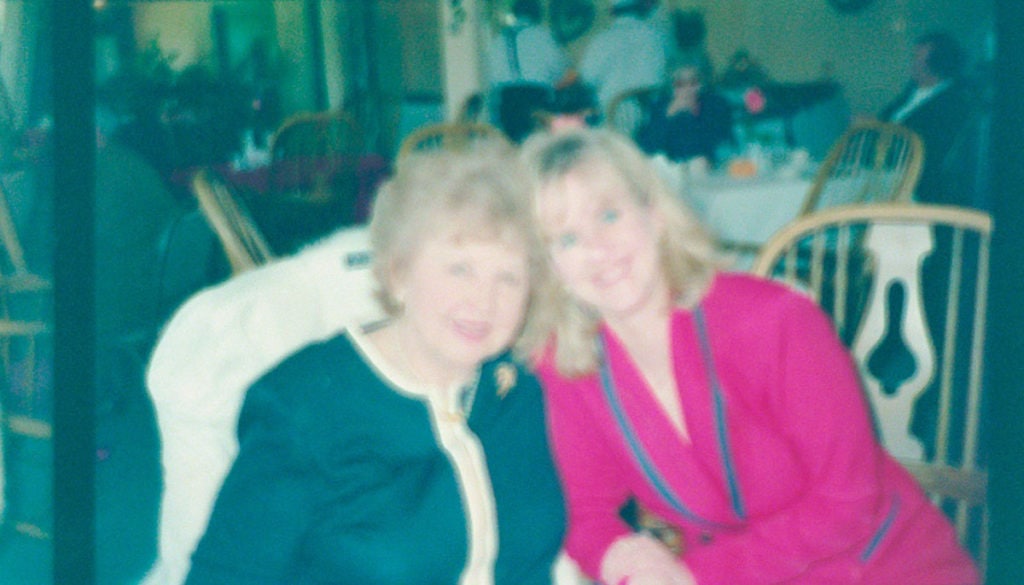
Scanning positives (print photographs) also proved inconsistent. I found that exposure and color temperature shifted whenever the camera moved, making it difficult to achieve consistent results. Natural light worked in some situations but was unreliable overall, which reinforces how important stable, even backlighting is when digitizing photographs at home.
Finally, 12 free scans may not be enough to evaluate whether this app meets your needs, especially given the relatively subscription cost.
More Information
Visit the FilmLab website for current pricing, desktop software options, and feature updates.
Kodak Mobile Film Scanner
Pros: Completely free; live previews; high-resolution images.
Cons: Disappointing color scans.

The Kodak Mobile Film Scanner app is produced by Kodak, one of the most recognizable names in the photo industry. The app is completely free, with no limit to the number of scans, and is available for both iOS and Android devices.
What I did not realize when I began testing is that the app is designed to be used alongside the physical Kodak Mobile Film Scanner, a small LED lightbox housed in a foldable cardboard stand that holds your phone in position above the film.
If you prefer not to build your own backlit scanning setup, this ready-made option may appeal to you (Amazon reviews are generally positive). I did not test the physical scanner, as I used my own DIY lightbox for consistency across all five apps.
What I like
For a completely free app, Kodak’s offering is surprisingly robust. In terms of features, it provides the most functionality of any app in this review.
One feature I particularly appreciated is the ability to make adjustments while viewing a live preview. When scanning black-and-white negatives, a slider at the top of the screen allows you to adjust exposure in real time. For color negatives and positives, that same slider adjusts white balance or color temperature.
You can also tap the screen to focus manually, which is helpful when trying to capture fine detail. In my testing, sharpness was best when the phone was positioned at least four inches from the negative. Moving closer often introduced blur.
The Kodak app includes an extensive suite of post-scan editing tools. In addition to quick preset filters, you can crop (square or circular), apply vignettes, round corners, pixelate, and adjust exposure, contrast, saturation, sharpness, and color temperature. There are also options for adding text, drawings, stickers, and frames.
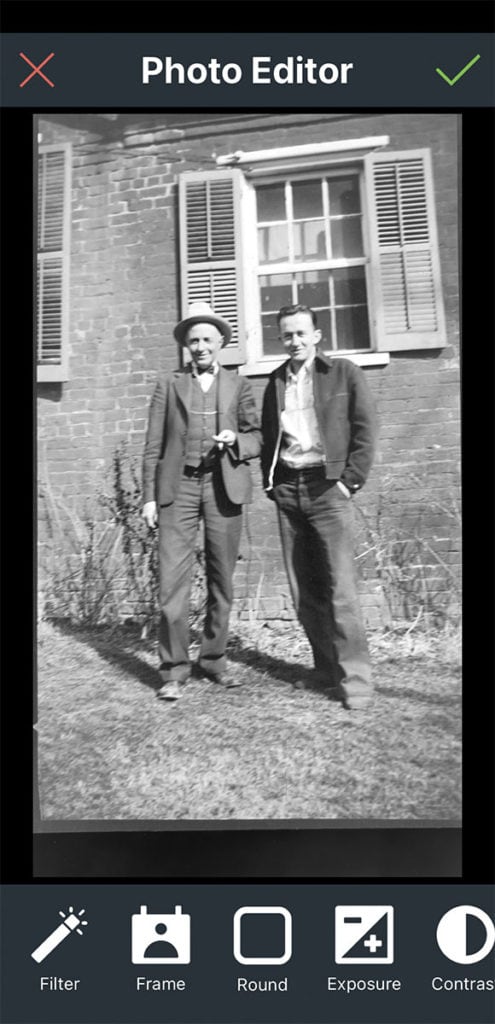
Finished scans can be saved to your camera roll or shared directly to other apps and social platforms. I did not see a direct option to send images via text message from within the app.
Most notably, the Kodak Mobile Film Scanner app produced the highest-resolution files of all five apps tested. I was especially impressed with the clarity and tonal range of the 80-plus-year-old black-and-white negatives.
For anyone looking to scan film negatives with a phone and preserve maximum detail without paying for a subscription, this is a significant advantage.

What I Dislike
While the Kodak Mobile Film Scanner app performed exceptionally well with black-and-white negatives, my color scans were noticeably blurry and somewhat pixelated. Despite experimenting with the app’s numerous editing tools, I was unable to achieve results comparable to those from some of the other apps reviewed.
It is possible that using the official Kodak Mobile Film Scanner lightbox might improve color results by providing more consistent lighting and alignment. However, I did not test the physical scanner, so I cannot confirm that.
As with all mobile scanning methods, lighting stability and camera positioning play a major role in final image quality, often more so than the app itself.
More Information
Visit the Kodak website for additional details about the app and the physical Kodak Mobile Film Scanner.
Summary of Results
After testing all five apps using the same phone, lighting setup, and film negatives, here is what I learned.
For black-and-white negatives:
The Kodak Mobile Film Scanner app (without the physical box) delivered the strongest results overall. It produced the highest-resolution files in this test group and allowed real-time adjustments to exposure and focus before capture. I was so pleased with the results that I used it to scan all 65 of my historic black-and-white negatives.
For a completely free app, it offered the most value and the greatest control when digitizing older film.
For color negatives:
FilmBox by Photomyne produced the most accurate color reproduction in my testing. If I had a large collection of color negatives to convert to digital images, I would consider paying for a subscription.
Each app has strengths and weaknesses, but color rendering is where FilmBox stood out.
A Few Important Takeaways
- Editing must be done before saving. With most of these apps, once you save the scanned image, you cannot return later to re-edit it within the app. FilmBox by Photomyne is the only app in this group that allows you to revisit and edit previously scanned images.
- These apps are best for negatives, not print photographs. If your goal is to scan positives (regular photo prints), dedicated photo-scanning apps will generally produce better results.
- The quality of your negative determines the quality of your scan. Poor exposure, physical damage, or heavy grain in the original film will limit what any app can recover. In some cases, additional editing in software such as Photoshop, VIVID-PIX, or other photo-enhancement tools may improve contrast, color balance, or clarity — but no app can restore detail that was never captured.
- Lighting and stability matter more than the app. Even the best scanning app cannot compensate for uneven backlighting or camera shake. A stable setup and consistent light source dramatically improve your results when scanning film negatives at home.
Finally, your mileage may vary. I strongly recommend taking advantage of each app’s free scans to test how well it works with your specific phone, lighting setup, and film type before committing to a subscription.
Need a Lightbox?
It’s Easy to Make This DIY Lightbox for Scanning Negatives With Your Phone
Wrap Up
Scanning old film negatives with your phone is one of the simplest and most affordable ways to preserve fragile family history. With the right app and a stable light source, you can convert aging film into digital images in a matter of minutes.
That said, the app is only part of the equation.
Consistent lighting and camera stability have a greater impact on image quality than most people realize. If you’re planning to digitize a large collection of negatives — especially historic formats — I highly recommend creating a simple backlit scanning setup. You can see exactly how I built my DIY negative-scanning rig here.
If you’ve recently discovered a box of old film negatives and want to bring those images back to life, don’t wait. Film degrades over time, and every year matters.
Have you tried scanning film negatives at home? Do you have a favorite app I should test next? Share your experience in the comments — I’d love to hear what’s working for you.


This post contains affiliate links. I may receive a small commission if you choose to make a purchase, but it does not add anything extra to the price you pay. For more, please read my full Disclosure Statement. I appreciate your support!




Well-detailed article. Thank you.
I did a lot of 35mm film photography in the 1980’s and 1990’s, and have a LOT of negatives. They’re difficult to see with just a Pan Vue.
Unfortunately many of the negatives got mixed up in different envelopes that show date and topic, but are mis-filed and I don’t recognize them being pertinent to that date and topic. I’m looking for a way to see them better, to either save or eliminate.
I’m new at scanning negs to a cellphone/computer, and have a few technical questions.
— In using IOS, do I download the apps you recommend to my iPhone (Model XR, software version 14.6), then use the camera to shoot the negatives?
— Do I need a backlight (flatbed or equiv) to enhance the photo negative and enable my camera to see it better?
Hi Andrew! Gosh, I’m so sorry I didn’t respond to your comment sooner! To answer your question(s): Yes, you add the app of your choice to your phone. You can find them in the Apple App store for iPhone. You do need some sort of backlight or you won’t be able to see the negative image. I used my iPad set to a white screen, but you could also use your computer screen (set to white and bright), or possibly a lamp, but I haven’t tried that one.
Great article about apps for scanning negatives. It’s exciting how the technology just keeps getting better and better. I linked to your article in an article I wrote on how to digitize slides and other media since mine does not cover apps.
Thank you so much, Rhonda! I enjoyed your article, as well, and I appreciate the link very much!
Excellent info for those with old negatives and no prints. Thank you for taking the time to try them out and sharing your results.
It was my pleasure, Linda!
My late husband was a professional photographer. I have hundreds of 35 mm and 120 mm both colour and black and white negatives. I need a quick and easy means of just viewing the negatives so I can identify the subjects so that I can either send them to the original clients or offer them to suitable photo libraries or archives. In the main I don’t need to download the images or keep them. If I get a small light box will all the apps you review do the job I need?
Hi, Micky! For a big job like that, you may want to order a lightbox, maybe even a larger one so you can view several negatives at the same time. My project only involved about 60+ negatives, so I made a DIY lightbox using my iPad and a free app called Lightbox Trace. You can just lay your negatives right on the screen to view them. 🙂
Great article. I too have a box with around 350 negatives from the 1930s-1960s, pictures taken by my great grandmother and my grandmother. With so many negatives I invested in a flatbed scanner that also does negatives, I saw it demoed at RootsTech in 2020, so now scanning negatives is my rainy day project and I’ve found some amazing gems.
I will look into a few of these apps for when I need to scan just one or 2 pics and don’t want to fire up the flatbed scanner.
Hi Jeri! I probably saw (and drooled over) that same scanner at RootsTech, but the financial investment was too steep for me. I’m sure it gives you wonderful images, though!
Thank you for this great post! I am inspired to dive into doing some scanning!
I’m glad you found it helpful, Jill. I hope you enjoy your newly scanned images!
Thanks very much for the reviews Elizabeth. I have a lot of old colour negatives that I would like to scan, because the photos are faded and it would be nice to bring them back to life and print them.
I have an Android phone, so without wanting to spend a lot of money, I think I’m going to try the Filmlab and Kodak apps for starters, even though the quality of colour negatives isn’t supposed to be too good.
I could use a regular flatbed scanner. Not sure if that would work better and I have software (Faststone – Windows 10) that allows me to play with the colour, so I can use that to turn negatives into positives.
I guess it’s a case of playing around to see what works best.
Hi Tony! Definitely play around with different ways to scan. If your flatbed scanner does a better job, then go with it. Let us know what worked for you!
Great article with good comparison information. I didn’t see a dat on your article. Did you do the followup on how you built you scanning station? Also, what is the name of the gooseneck stand that you used to hold your camera? Your link only opens Amazon and doesn’t take you to the specific item. Many of them look like the holder covers the camera on the phone. Many thanks. Love your website and articles.
Hi Joan! Thank you for the kind comments, and also for letting me know about the dead link to Amazon, which is fixed now. You do need to position your phone on the holder so the camera isn’t covered, but that’s easy to do. Silly me, I bought the holder for tablets by mistake, and I had to jerry-rig my phone to it with rubber bands. It wasn’t pretty, but it worked, lol!
I’m working on the DIY negative scanner post, and I HOPE to have it published by next week!
Thanks, Elizabeth! I’m looking forward to the DIY negative scanner post. Love your posts and your entire site. It relaxes me just to look and the photos and the calming colors. 😉
Joined Ancestry 2 years ago for the DNA thing, populated the tree and that was that. Now I’m back spurred on by a treasure find, showbox (lol) with envelopes of old negatives taken by my father 70 years ago on his Kodak Brownie. They are Kodak 116 (70mm x 110mm) SINGLE negatives that will not fit AFIK any regular file scanner (flatbed not viable for one off job). The cropping varies from 110 to over 120mm. I am a retired tech guy with a nice workshop so making my own Kodak 116 negative scanner and yes… I’m using the Kodak Mobile Film Scanner android app along with a tablet running Lightbox. Cheers